Veeam: Onboarding Webinars
Senior UX/UI & Product Designer
Finding the right onboarding webinar at Veeam was harder than it should be: navigation was fragmented, filtering was poor, and the experience changed from device to device. I designed a single page where people can filter by product, type, language and timezone, see at a glance which sessions are upcoming and which are on demand, and get a consistent experience on desktop, tablet and mobile.
-
Client: Veeam Software
-
Role: Web Designer, UX/UI Designer
-
Platform: Web (desktop, tablet, mobile)
-
Scope: Research, wireframes, full-page layouts, responsive UI
-
Tools: Figma, design system, UX research
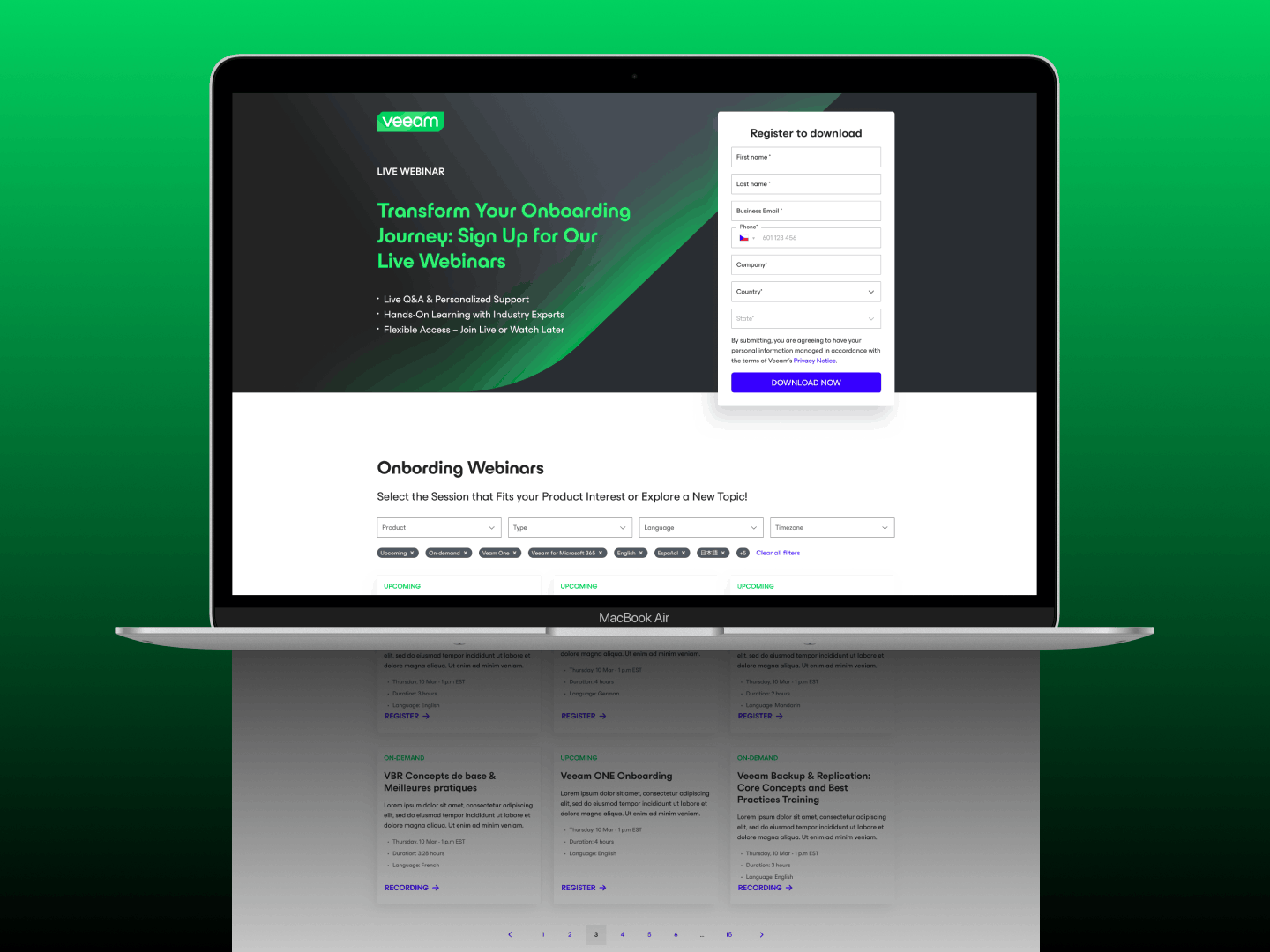
The final page: a hero with a registration form, and below it the onboarding webinars with filters and cards.
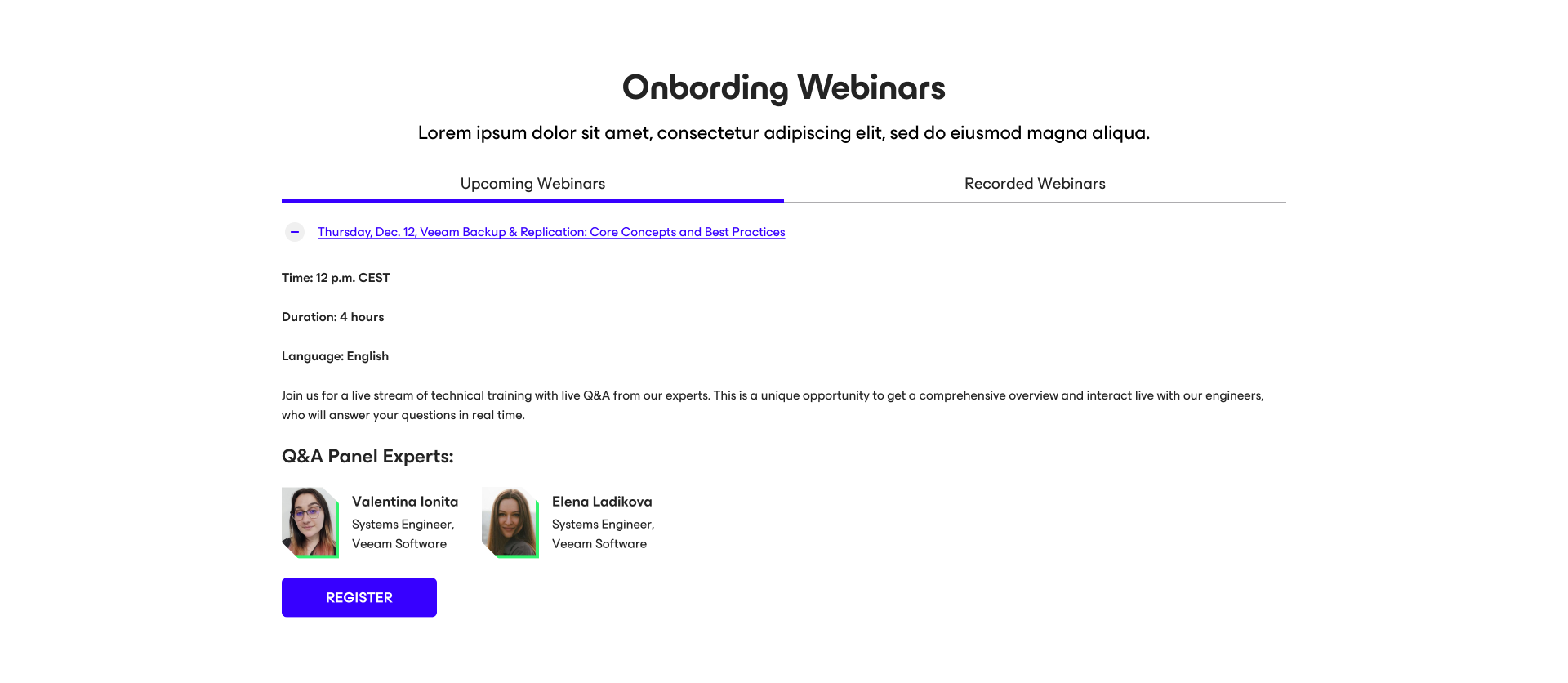
How it was. Upcoming and recorded webinars lived in two separate tabs. Sessions were listed as expandable links; opening one showed its time, duration, language, description and speakers, with a Register button. Nothing on the screen let you narrow the list by product, language or availability.
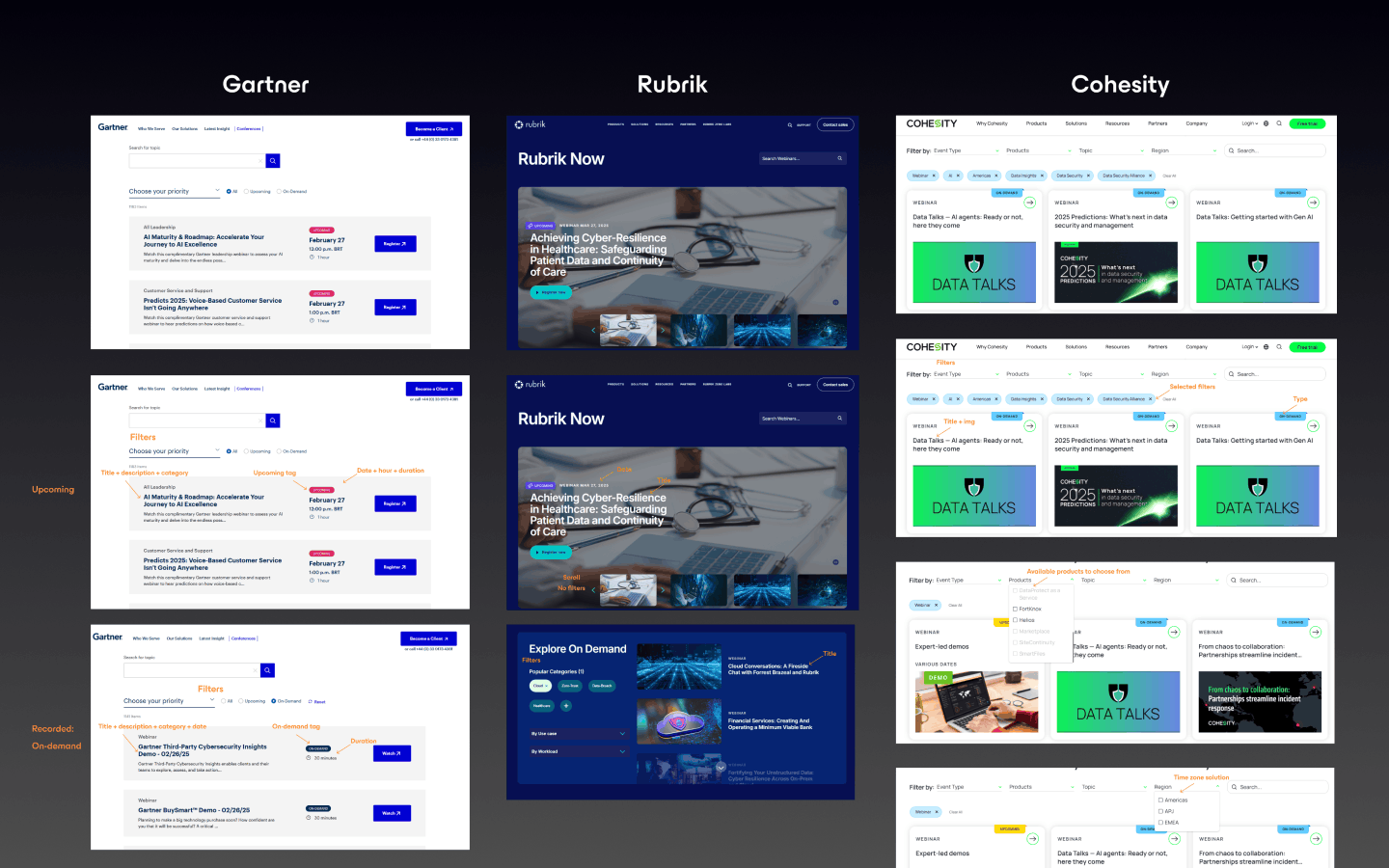
Before designing, I looked at how Gartner, Rubrik and Cohesity present their webinars.Three patterns stood out: upcoming and on-demand content kept clearly apart, filters and tags that reduce cognitive load, and layouts built for quick scanning by title, date, duration and button.
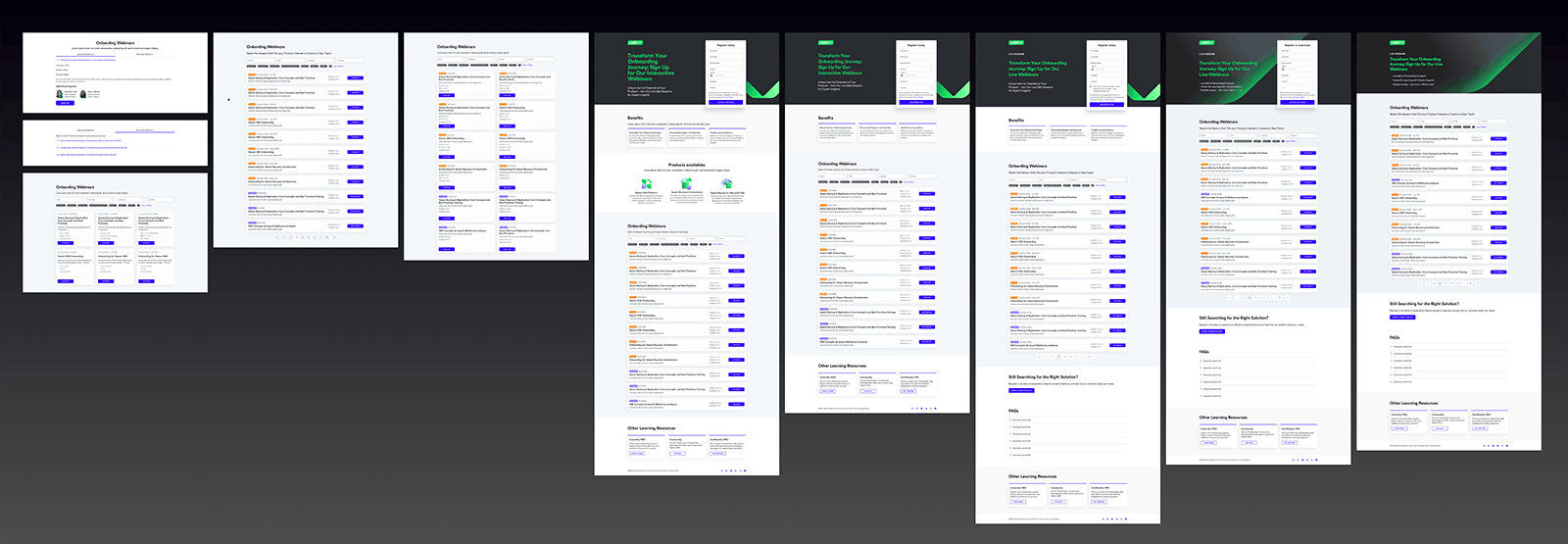
I moved everything onto one page, with filters for product, type, language and timezone, and tags that show and clear what’s applied. I explored the same content as a three-column card grid, a single-column list and a two-column card grid, with colored tags in the later versions to tell upcoming sessions from on-demand ones, plus a different button in the list: Register or Recording.
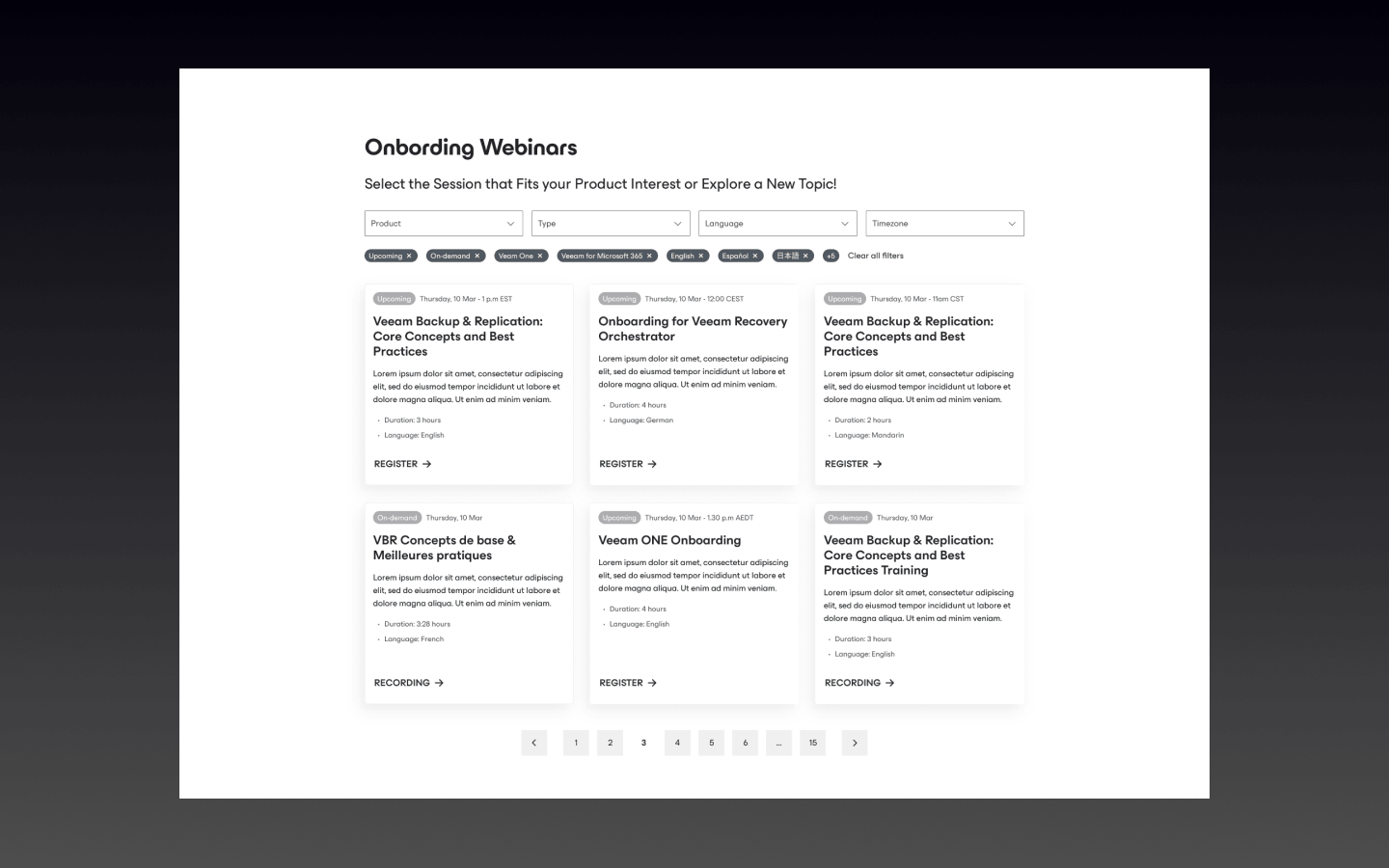
The wireframe I moved forward with. I defined the content hierarchy first (filters, then results, then pagination), prioritized scannability over visual density, and designed it to scale.
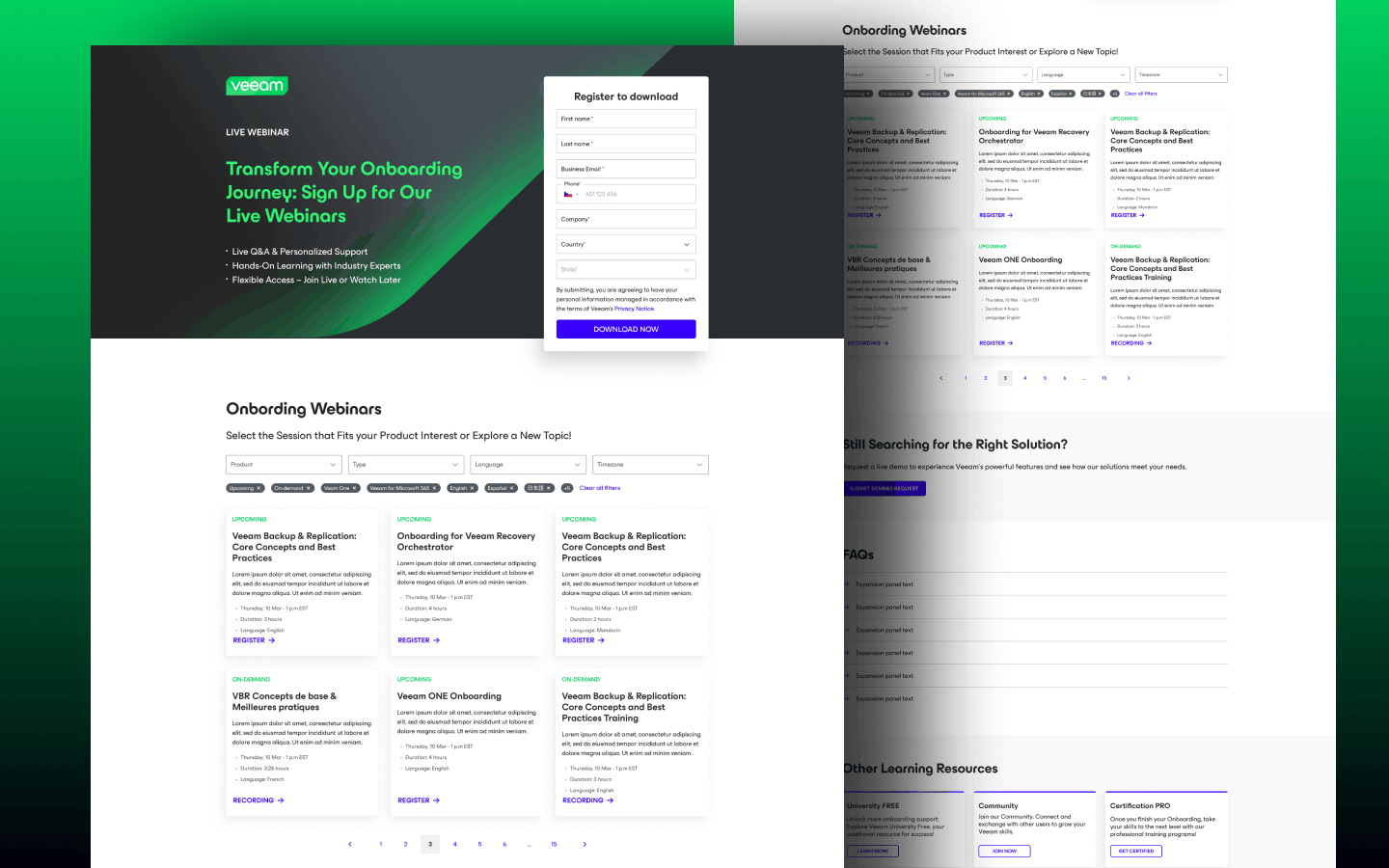
I built the webinar list into a full page with a hero and a registration form, plus sections such as Benefits, product highlights, FAQs and a “Still searching for the right solution?” block. Across the five versions the page was refined: the product highlights were dropped, the Benefits section became three short bullets in the hero, the hero copy shifted from “Interactive Webinars” to “Live Webinars”, and the webinar list moved up to sit right below the hero.
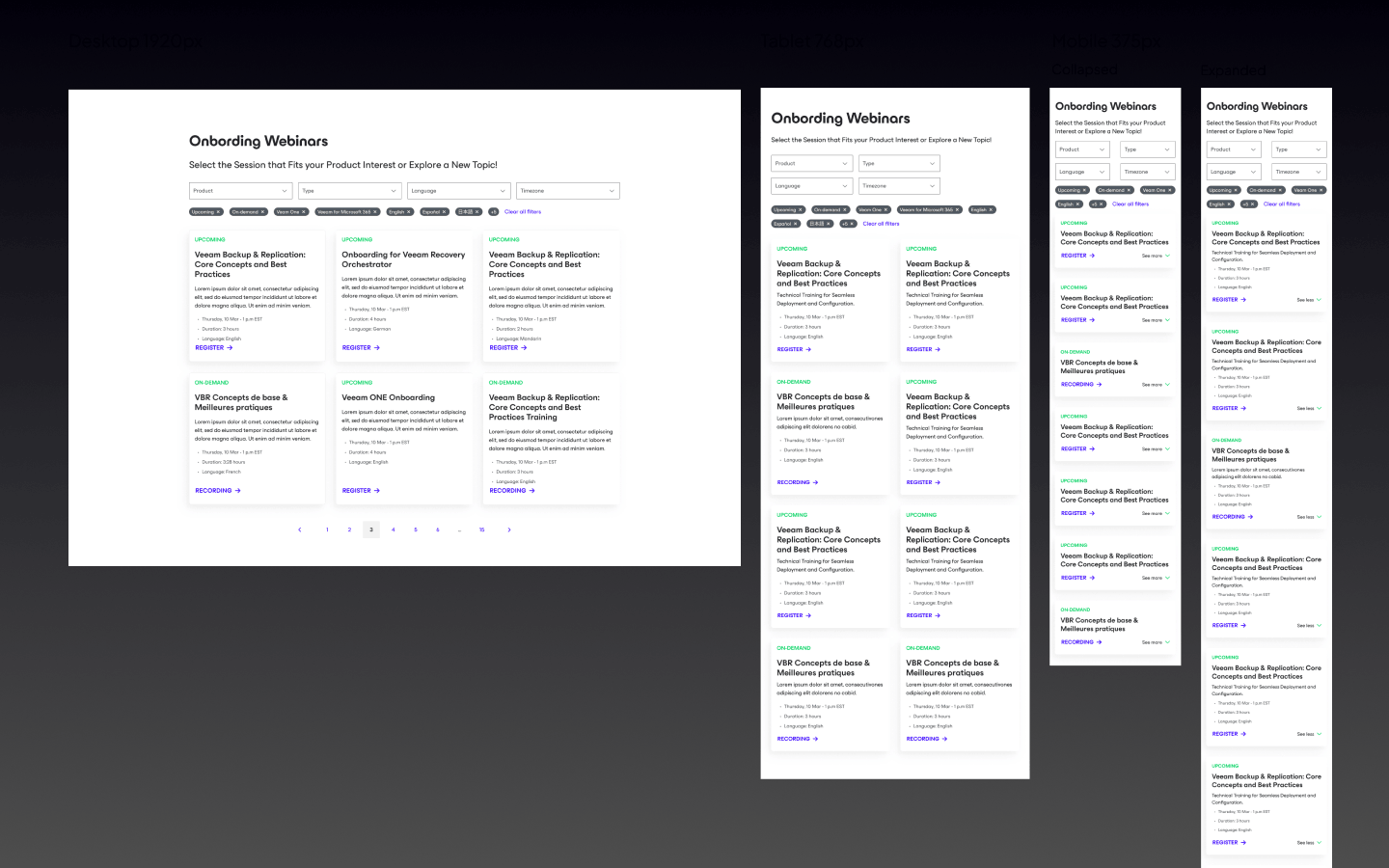
Desktop (1920 px), tablet (768 px) and mobile (375 px). For smaller screens I made mobile-first adjustments to reduce cognitive load: the filters were adapted to work vertically and the cards are optimized for thumb navigation.
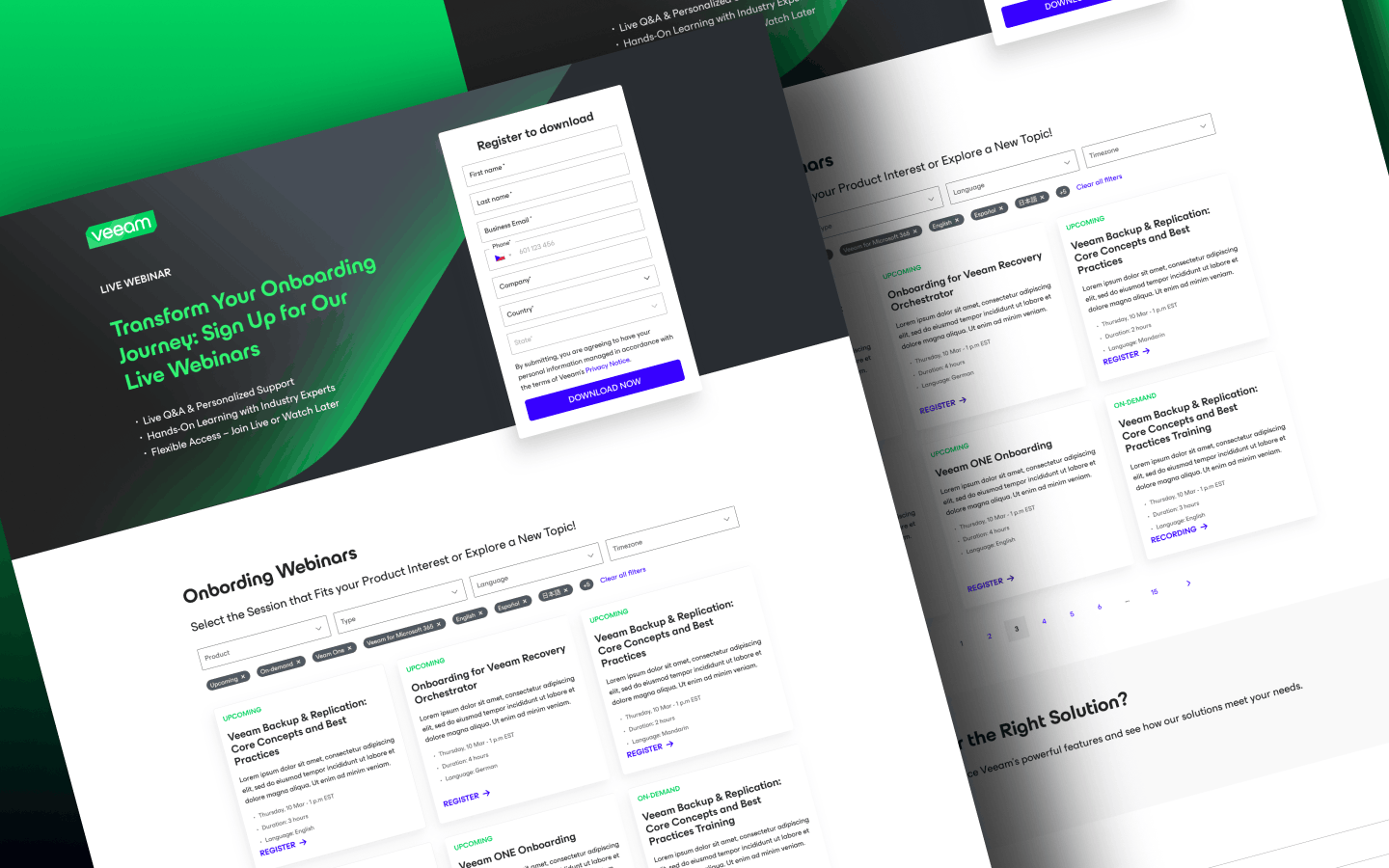
What I took from it
Organizing the content clearly and simply made it easier to find the right webinar. A consistent layout across devices reduced confusion, and reusable sections let the page grow without constant redesigns.